
Global Mapper Pro (Single User Node-Locked)
$1,837.89 VAT Excl
This license is node-locked to one computer and it cannot be access remotely.
- Lidar/ Point Cloud Creation & QC
- Lidar/ Point Cloud Classification & Analysis
- Advanced Editing and Analysis of Image, Terrain, and Vector Data
- Phyton & Scripting Support
- Expansive File Support & data Visualization
- Vector Data Creation, Editing, & Analysis
- Terrain Creation & Analysis
- Raster Image Analysis
Note:
* Global Mapper Pro is an add-on to the Global Mapper Standard application. When purchasing Global Mapper Pro, you will receive two licenses—one for Global Mapper Standard and one for Global Mapper Pro. You must install both licenses to unlock the Pro features.
**License to be provided in 3-4 working days.
-
Description
Global Mapper Pro expands upon the extensive functionality of the standard version of the application for those who need advanced GIS software solutions. You can utilize a comprehensive collection of tools for advanced 3D analysis, lidar and photogrammetric point cloud processing, drone-collected image analysis, Python scripting methods, machine-learning integration and much more. The comparison chart below shows the features and tools available in the Standard and Pro versions of Global Mapper.
Recent Developments in Global Mapper Pro
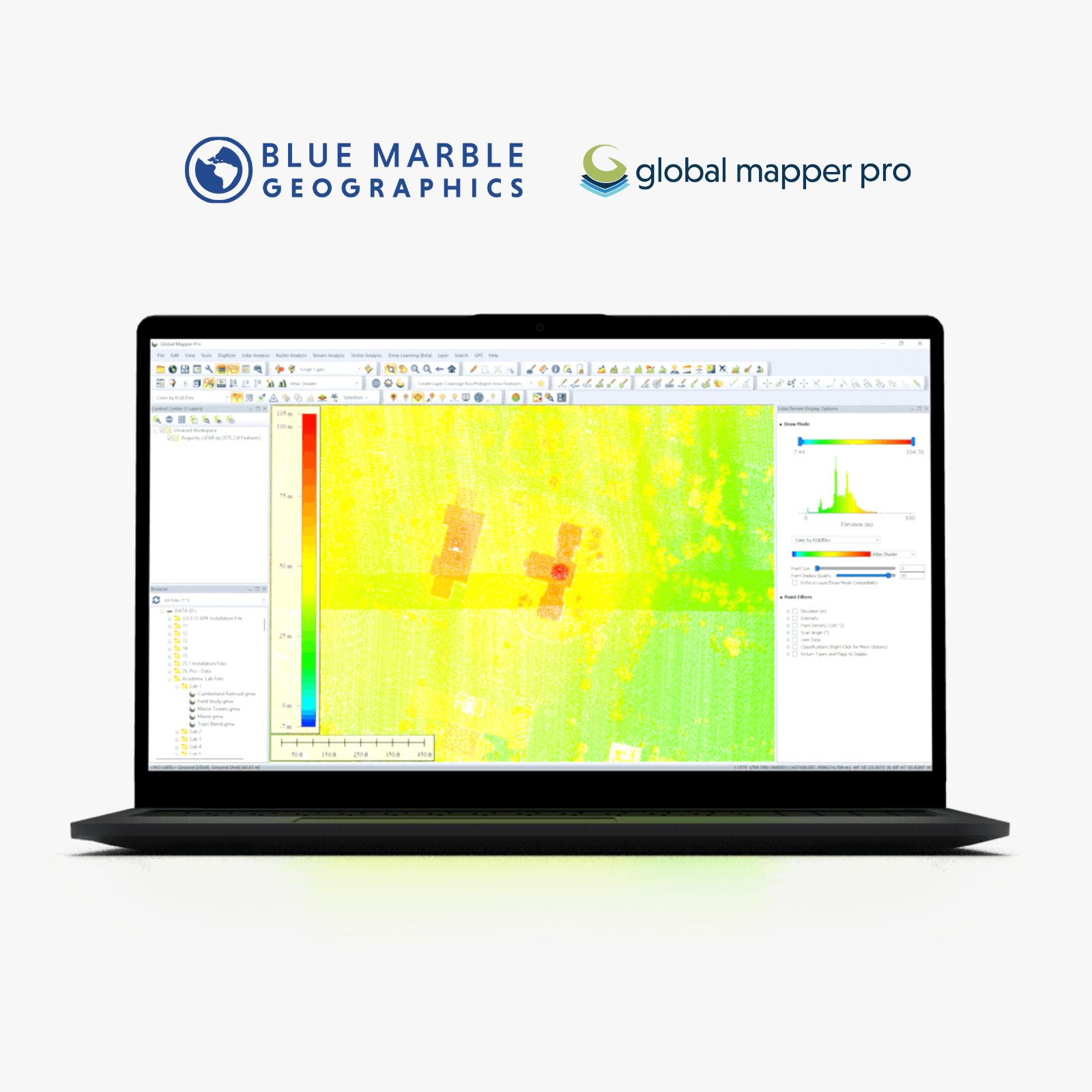
- Advanced Lidar Filtering – Real-time shaders for point cloud attribute visualization and filtering with corresponding histograms to depict data distribution.
- Deep-Learning Image Analysis – The Global Mapper Insight and Learning Engine (beta) is a powerful AI-driven tool for land cover classification and object detection.
- Point Cloud Classification Improvements – Performance updates to speed up point cloud classification on large datasets.
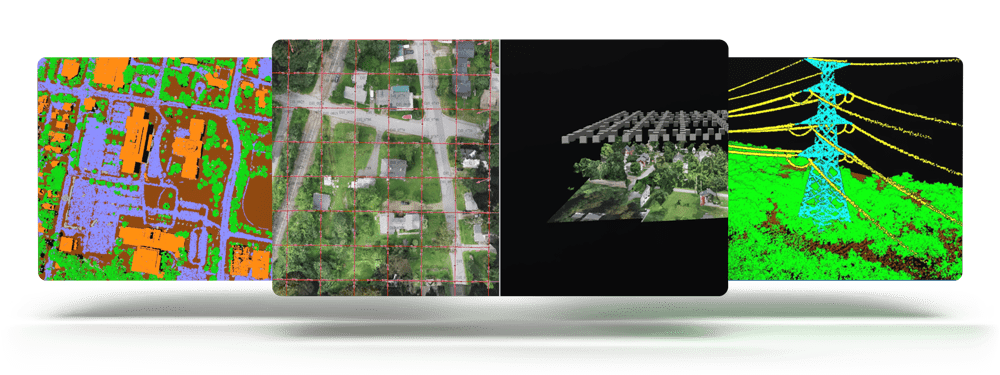
Global Mapper Pro expands upon the extensive functionality of the standard version with 3D analysis, drone data, and lidar processing.
- Deep-learning Powered Image Analysis with Global Mapper Insight and Learning Engine™(beta)
Do more with the this state-of-the-art GIS software solution by utilizing the Global Mapper Insight and Learning Engine™. The deep-learning image analysis tools in the Insight and Learning Engine provide built in models for land cover classification, building extraction, and vehicle detection. Utilize the fine-tuning and training tools to tailor the models to improve model performance on your own datasets. Configuration settings allow users to share custom models, and download the latest models from Blue Marble Geographics.
- Photogrammetric Processing with Pixels to Points™
Create a 3D point cloud, orthoimage, and 3D mesh products from drone or UAV collected images utilizing Pixel to Points in Global Mapper Pro. The Pixels to Points Wizard allows users to select from predefined project types and optional outputs, or create their own. Leverage the ability to automatically place GCPs to further control output product accuracy.
- Lidar Data Analysis
Global Mapper Pro offers the opportunity to fully classify 3D point cloud data. Automatic ground, building, tree, powerline, and pole classification and feature extraction tools work with lidar or photogrammetrically-generated point cloud data. Utilize manual classification options for more precise control.
Lidar QC tools allow for the refinement of the 3D position of a point cloud, point clouds can be split into layers based on attribute, and automatic processing reports can be generated.
- Point Cloud Segmentation
This tool allows users to identify features of interest in a point cloud based on certain parameters or attributes. Whether color, elevation, intensity, or another parameter is important in defining a feature, users can provide values to allow the tool to identify points which meet these requirements. The flexibility and customization in this tool, combined with a selection method to select and edit individual segments, greatly improves manual classification, to achieve custom point cloud classification in a semi-automated process.
- Terrain Analysis
Global Mapper Pro has an array of terrain analysis tools. From advanced binning and kriging methods to create a surface, to terrain painting to live edit the terrain users can prepare their data a variety of ways. The results of this process can be analyzed via watershed modelling, viewshed analysis, contour generation or a slew of other tools available in Global Mapper and Global Mapper Pro
- Custom Point Cloud Classification
Custom Point Cloud Classification provides the ability to define custom classifications based on user-created training samples. Each training sample should represent a variation of a definable class of objects that can be used to create a new, user-trained point cloud classification. The attributes and shape of the sample points will be used to generate a signature that will be the basis of the new custom classification model.
Once finished, new classifications will appear in the Features to Classify list in the Classification tab to be used along with the built-in Feature Classes, such as Vegetation and Buildings. Custom classes can be saved for future use, or to share with colleagues.
- Python Programming Language Integration
Based on Python v3.10, Global Mapper users are now able to automate workflows in the program using the Phyton programming language. Not replacing Global Mapper Script, but adding to the scripting language options, Python scripts can be written in the new Script Editor or outside of Global Mapper, and run within the Global Mapper interface, via the command line, or in a Python environment.
- Script Builder and Editor
The Script Builder tool transforms actions taken in the user interface into Global Mapper Script or Python commands with an easy-to-use record button.
For manual script creation, editing and execution, the interactive Script Editor allows users to open multiple scripts in a tabbed interface and save them individually. Frequently used scripts can now be saved for easy execution in the Favorite Scripts manager.
- Kriging
The powerful Variography and Kriging analysis tool improves data prediction in Global Mapper Pro. Fully customize the data sampling and variogram plot and determine what theoretical model fits best for the generation of a kriged prediction layer.
- Global Mapper Mobile Integration
Pairing with Global Mapper Pro is Global Mapper Mobile, an app available on iOS and Android for field data reference and collection. Wirelessly share data to a mobile device directly through Global Mapper desktop’s Mobile Data Management tool. Additionally, through this tool, Global Mapper Mobile Package files can be merged to combine datasets created by different field collectors.
- Mesh Feature Creation
Create 3D mesh products from a variety of terrain, point clouds, and 3D vector data. Volumetric mesh features can also be created as spheres and cylinders to more effectively model volume in a variety of workflows. Export these products to a variety of 3D formats to use in gaming engines, simulated environments, and more.
Pro License Includes:
- Support for importing and exporting 300+ file formats
- Access to online data sources for streaming imagery, basemaps, terrain, and vector data
- Vector drawing, editing, analysis, and spatial operations
- Attribute editing, joining, calculation, graphing, and querying
- Thematic and choropleth mapping
- Map design and pre-print layout
- Lidar display, filtering, and manual editing
- Terrain creation and modification
- Terrain analysis, including contour generation, line of sight, viewshed, watershed, and flood simulation
- Volume calculation, pile volume estimation, cut and fill analysis, and change detection
- Immersive 3D visualization, 3D data creation and editing, fly-through recording, and layer animation
- Image rectification
- Image blending, feathering, cropping, and pan sharpening
- Image and raster reclassification
- Raster calculation Including NDVI, NDWI, NBR, and custom formulas
- Address geocoding
- Batch file conversion and workflow automation with Global Mapper scripts
- Integration with Global Mapper Mobile app
- GPS support for tracking and data collection
- Image blending, feathering, histogram matching, cropping and pan sharpening
- Deep-learning based image analysis via the Insight and Learning Engine. Automatically conduct land cover classification, building extraction, and vehicle detection.
- Automatic classification of point cloud data including ground, vegetation, buildings, power lines, poles, and model key points
- Terrain painting
- Breakline calculation
- Advanced querying, editing, segmenting, and filtering of lidar and 3D point clouds
- Vector feature extraction from classified point cloud data
- Lidar noise identification and removal
- Variography and Kriging
- Point cloud thinning and vertical and horizontal rectification of point cloud data
- Automatic alignment of overlapping point clouds
- Visual analysis of point cloud data, including by local density, height above ground, intensity, and classification
- Point cloud profiling
- Pixels to Points® – Drone/UAV imagery processing to create 3D point clouds, orthoimage, and 3D model
- Advanced automated vectorization of imagery and terrain
- Support for RTK devices and display of satellite constellation
- Built-in editor for Global Mapper scripts
- Support for Python scripting
- Script Builder tool to record actions in Global Mapper Script
- Streamlined mobile data merging